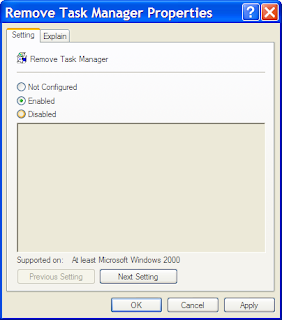
There might have been a time when you suddenly encountered that when you re-started your system your system has become unstable; you tried to stop some of the processes (running programs) by using the Task Manager. But this time when you tried to do so, either by pressing the Ctrl+Alt+Del keys together or by Right-Clicking the Taskbar and selecting Task Manager you encountered a message saying Task Manager has been disabled by your administrator as shown below.

In my previous post I've shown you a way to enable using gpedit.msc. This time i'll tell you how to enable by using a simple vbscript. But first you need to make sure that your system is free from viruses or trojans or other malwares. The best way to ensure this is to install an anti-virus in your system. According to me you can install Kaspersky Internet Security with all the latest updates if possible.
Step 1: Open Notepad
Step 2: Type the following into it
Dim WSHShell,val
Set WSHShell=CreateObject("WScript.Shell")
val=WSHShell.RegWrite("HKCU\Software\Microsoft\Windows\CurrentVersion\Policies\System\DisableTaskMgr","0","REG_DWORD")
Step 3: After typing you save the file eith any name but give the extension .vbs
Step 4: Now double click this file
Now check whether your taskbar is working or not. If still its not working try once more else your system is still having a virus active in memory. If the problem still persists contact me.

In my previous post I've shown you a way to enable using gpedit.msc. This time i'll tell you how to enable by using a simple vbscript. But first you need to make sure that your system is free from viruses or trojans or other malwares. The best way to ensure this is to install an anti-virus in your system. According to me you can install Kaspersky Internet Security with all the latest updates if possible.
Step 1: Open Notepad
Step 2: Type the following into it
Dim WSHShell,val
Set WSHShell=CreateObject("WScript.Shell")
val=WSHShell.RegWrite("HKCU\Software\Microsoft\Windows\CurrentVersion\Policies\System\DisableTaskMgr","0","REG_DWORD")
Step 3: After typing you save the file eith any name but give the extension .vbs
Step 4: Now double click this file
Now check whether your taskbar is working or not. If still its not working try once more else your system is still having a virus active in memory. If the problem still persists contact me.